
Penyelesaian Anda untuk
Smart Parking
Mudah, Pantas & Tanpa Tunai


Get Started With Us
Parking made simple in just a few steps.
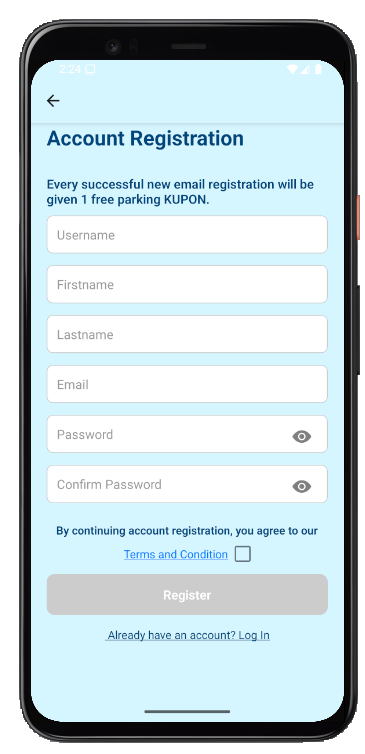
Step 1
Create & Verify Your Account
Sign up with your email and phone number. Verify your account through your email.
Step 2
Register Your Vehicle
Go to the 'Tetapan' (Settings) page to add your vehicle registration number.
Step 3
Top Up Coupon Amount
Choose your top-up amount, select a payment method, then fill in your payment details and confirm the transaction.
Step 4
Select Zone & Park
Find a parking zone directly from the map, select your vehicle and parking duration, review the amount, and confirm your booking.
Kenapa letak kereta dengan PINTAR Smart Parking
PINTAR mempermudah pengalaman letak kereta anda. Bayar, urus, dan pantau terus dari telefon.

Jimat Masa
Tidak perlu mencari operator letak kereta. Bayar bila-bila masa, di mana sahaja

Lanjutkan Bila-Bila Masa
Perbaharui letak kereta dengan mudah melalui aplikasi.

Peringatan Pintar
Dapatkan amaran sebelum tempoh letak kereta tamat.

Jejak Sejarah
Semak pembayaran dan rekod letak kereta anda bila-bila masa.

Tanpa Tunai
Bayar dengan selamat menggunakan kad atau e-Wallet.

Tambah Kenderaan
Daftar lebih banyak dan bayar untuk keluarga atau rakan.
Dihargai Oleh Rakan Kongsi Dari Pelbagai Industri









Ready to park smarter with PINTAR?
Manage parking, pay fines, top up, and more - all in one app.